











The mobile application from Wasafi Bet gives Tanzanian players a convenient way to place bets and access casino games from a phone. Instead of opening a browser each time, the Android app provides direct access to sports markets, live betting, and account management. This guide explains how to download and install the application, what to expect on different devices, and how to use the platform responsibly.
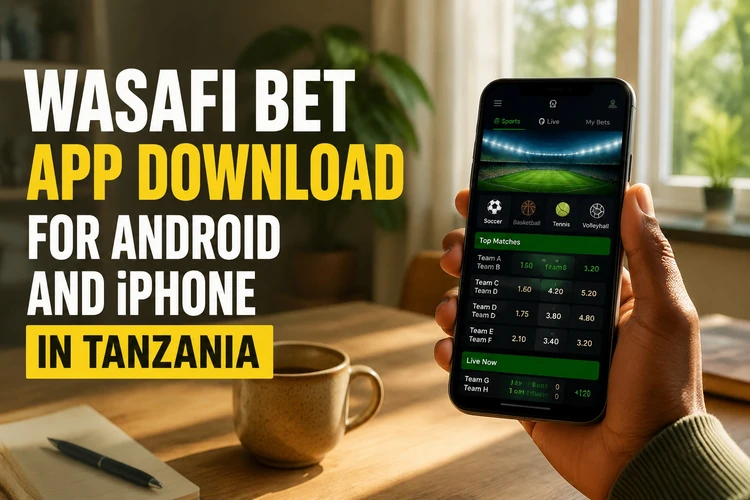
Many bettors prefer a mobile app because it reduces the number of steps needed to sign in and can make it easier to follow an open bet while away from a computer. Depending on device settings and the permissions granted, the application may also provide notifications about account activity or available updates. iPhone users can use the mobile version of the site in Safari instead. The exact functions available can depend on the current platform version, account status, and local payment options.
Overview of the Wasafi Bet App
The Wasafi Bet application is intended for Android phones and tablets running a compatible version of the operating system. It brings together pre-match and live sports betting, virtual games, casino slots, live dealer tables, and account functions such as deposits and withdrawals. Its touch-friendly layout uses larger controls and simplified navigation for smaller screens.
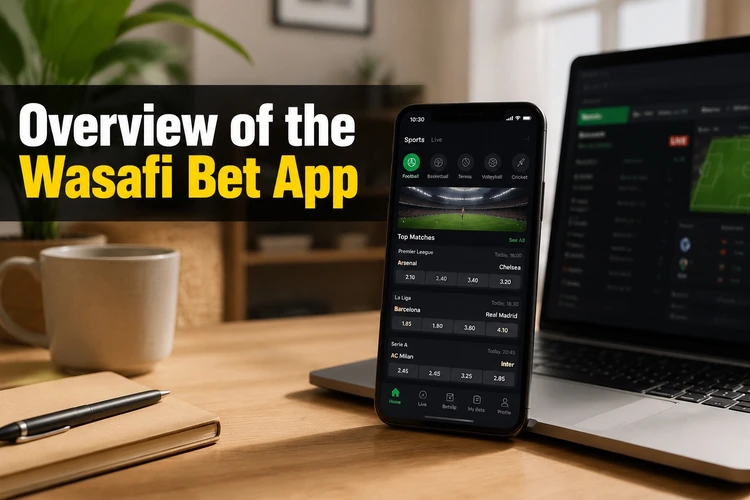
The app is designed to connect with the same account used on the website. After signing in, information such as balance, bet history, and active bets should normally be available across devices, although a short delay can occur during maintenance or a connection problem. Do not save login details on a shared phone. Review notification and permission settings so the app has only the access it needs.
How to Download the Official Wasafi Bet App
If the application is not listed in Google Play, Android users can obtain its APK installation package from the official website. APK is the standard file format used to install applications on Android. Open the site on your phone and use the download option provided there. Check that the page is the genuine Wasafi Bet site before starting the download.
A stable connection helps prevent an incomplete file. When the download finishes, check the file in your phone's Downloads folder and compare any displayed version information with the details on the download page. Avoid APK files shared through messaging groups, email, mirror sites, or unofficial repositories. Modified or outdated files can contain unwanted software and may expose account details.
Android Installation Guide
Android may block an APK until permission is granted to the browser or file manager that opened it. Open Settings and look under Security, Privacy, or Apps for an option such as Install Unknown Apps. Allow the relevant source only when necessary, and turn the permission off again after installation if your phone permits it.
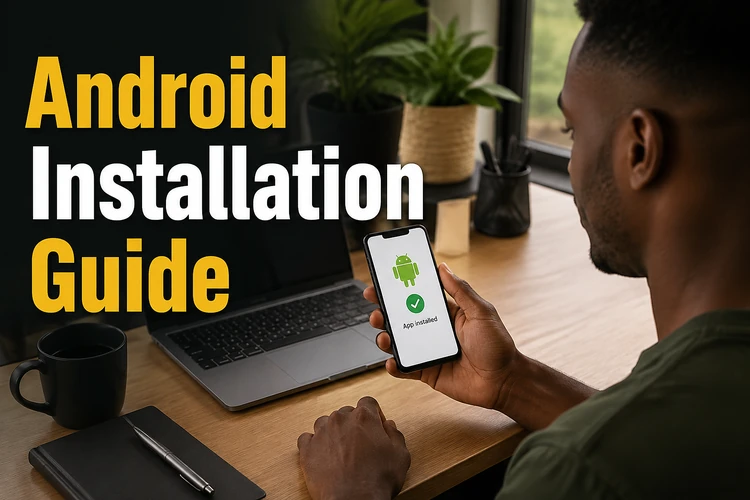
Once the permission is available, open the downloaded file and review the installation screen, including the app name and requested permissions. Tap Install and wait for the confirmation. Then open the app from the new icon and sign in with your existing credentials. The installation process does not remove your account, but it is sensible to confirm that you know your password before replacing an older version.
If installation fails, check free storage and remove unused files if necessary. A damaged download, incompatible system software, or an incorrect permission can also cause an error. Delete the file and download it again from the official source rather than trying several copies from different websites. Do not install a file that produces unexpected permission requests.
Using Wasafi Bet on iPhone
There is no dedicated iPhone application stated in the current information. iPhone and iPad users can instead open the mobile website in Safari and sign in there. The layout adapts to the screen, but some features may display differently from the Android application. Browser access also avoids installing an unverified file from outside the App Store.
For quicker access, open the site in Safari, tap the Share button, and choose Add to Home Screen. The new icon opens the mobile site with fewer navigation steps and can provide an app-like experience. Keep Safari and iOS updated, and avoid saving login details if another person regularly uses the device.
Features Available in the App
The sports area may include football, basketball, tennis, and other markets, with live betting available for selected matches. Users can review odds, add selections to a bet slip, and check open or settled bets. Early settlement, where offered, depends on the event and the specific selection, so the available button and final amount should be checked before confirming.
The casino area can include slots, table games, and live dealer content, subject to availability. Account tools may support deposits and withdrawals through payment methods shown for the account and region. Settings can include password changes and notification controls. Information about safer play is available through the site's responsible gambling guidance. Do not assume that every payment method or game is available on every device.
APK Version: Advantages and Considerations
An APK allows an Android application to be installed directly rather than through an app store. This can be useful when a store listing is unavailable, but it places more responsibility on the user to confirm the source and manage updates. Manual installation also means that an update should not be postponed when the app requires a newer version to connect.
Use the download page to check the current version and any installation instructions. Never install an APK received through a private message or from a site that changes the file name without explanation. Keep Android's security tools active, maintain enough free storage, and remove older installation files after the new version has been checked. If the download page provides a verification method, follow it before opening the file.
Common Problems and Solutions
If the app will not install, confirm that permission was granted to the correct browser or file manager. Some Android phones manage this setting separately for each source. Lack of storage, a partial download, or outdated system software can produce the same error. Restart the phone, free space, and download a fresh file if required.
Unexpected closing after launch can result from a full memory cache or an older app version. Close unused applications, clear the app cache, and restart the device. Reinstalling should be a later step, after confirming that login details are available. If sign-in fails, check the credentials in a browser and use the account recovery process rather than repeatedly guessing a password.
Connection errors often come from unstable Wi-Fi or mobile data. Test another connection, check whether other sites load, and try again later if maintenance is announced. If an update notice remains after updating, clear the app's data only after confirming that you know the login details. For persistent problems, contact support with the phone model, Android version, app version, and a clear description of the error. Do not send your password or payment PIN.
Security and Best Practices
Account security starts with using the official download source and checking the requested permissions before installation. Choose a password that is unique to this account and avoid storing it on a shared device. Where additional security controls are available, review them in the account settings and use device locking or biometric protection.
Check for software updates regularly and keep the operating system current. Public Wi-Fi can expose information if it is poorly secured, so mobile data or a trusted network is preferable for signing in and making payments. Never share login codes, and sign out when lending your phone to someone else. Set a budget, understand the terms of each bet, and take a break if gambling stops feeling controlled. For account or technical questions, use the site's contact page rather than an unverified social-media account.
FAQ
The Android version is provided as an APK rather than through Google Play, according to the available information. Download it only from the official Wasafi Bet website and confirm that your phone has a compatible Android version and enough free storage.
Yes. Open the mobile website in Safari and sign in there. You can also use Safari's Share menu and choose Add to Home Screen for quicker access without installing an unverified iOS file.
An APK is the installation package used by Android. It can be installed outside Google Play, but the source must be checked carefully because files from third-party sites may be outdated or modified.
Download the file from the official site, allow your browser or file manager to install unknown apps when Android requests it, open the file, review the permissions, and tap Install. Disable the temporary permission afterwards if your device allows this.
Check the official download page or any update notice shown in the application. Download the newer APK from that source and install it over the existing version. Confirm that your login details are available before beginning the update.
Check your connection, available storage, app version, and the installation permission for the correct source. If the credentials work in a browser but not in the app, update or reinstall it. For unresolved issues, contact support without sharing your password or payment PIN.