











Your Wasafi Bet account is the gateway to placing bets, managing your balance, and accessing the platform's available features. Logging in lets you view upcoming matches, place wagers, track your betting history, and manage withdrawals. If you do not yet have an account, you must complete registration before your first login. Once registered, the same credentials can be used on supported devices, whether you access the platform through a browser or the mobile application.

The login process is designed to be straightforward. You normally need the phone number or username supplied during registration, together with the password you created. After authentication, you reach the personal dashboard, where betting options, account information, and settings are available.
How to Log In to Wasafi Bet
Start by opening the official website in your browser and finding the Login button, usually in the top-right area of the homepage. The form asks for your registered phone number or, where supported, your username. Enter the details carefully, then type your password in the appropriate field.
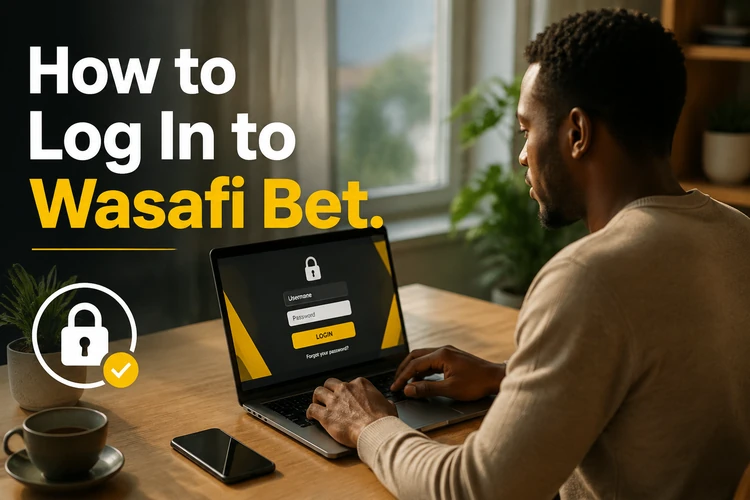
Submit the form using its confirmation button. If the information matches, you are redirected to the account dashboard. From there, you can review sports markets, check available matches, inspect your bet slip, and adjust permitted account settings. Always sign out when using a shared or public device.
If an error appears, check the phone number and country code before trying again. Passwords are case-sensitive, so make sure Caps Lock is off and remove any accidental spaces. Avoid repeated guesses if the password is rejected; use the recovery option instead or contact customer support through the contact page.
Create a Wasafi Bet Account
Registration is intended for residents of Tanzania who are 18 years or older. Begin on the homepage by selecting the sign-up option. You will generally need a valid phone number, which acts as the primary account identifier. A verification code may be sent to that number by SMS, and entering the code confirms that you control it.
Create a password that is difficult to predict. A combination of letters, numbers, and symbols is safer than a name, birthday, or familiar word. Check the registration details before submitting the form, including the phone number, because an error can prevent later recovery. Read the applicable terms before completing the process.
Registration and login are separate steps. Registration creates the account and records the initial details; login is the recurring process used to access that account. After registration, use the same verified phone number or username and password when returning to the platform. If the confirmation message does not arrive, check the number and network signal before requesting another code.
Login Through the Mobile App
The Wasafi Bet Android application uses the same account credentials as the website. After installing the app from the permitted source, open it and locate the login form on the welcome screen. Enter the registered phone number and password as you would on a computer.

If you have already registered on the website, do not create a second account just for the app. Sign in with the existing details so your account information and activity remain connected. A mobile interface can be more convenient on a smaller screen, but check that the application is current and that your phone has enough storage and a stable connection. If the app offers to keep you signed in, use that option only on a device protected by a screen lock.
After using the app on someone else's phone, sign out fully and avoid saving the password in the device browser or password prompt. The exact appearance of buttons can vary between Android versions, so follow the labels shown on your current screen rather than relying on an old screenshot.
Password Recovery
If you forget your password, open the recovery link on the login page. Enter the phone number associated with the account and follow the instructions sent by SMS. Type the reset code carefully, then create a new password that is not a simple variation of the old one.
If you no longer control the registered phone number, do not try to bypass verification by repeatedly submitting different details. Contact customer support and be ready to provide information needed to confirm your identity. Keep the replacement number current in your account settings once access has been restored. Storing the password in a reputable password manager can also reduce the chance of losing it again.
Common Login Issues
An incorrect password is the most frequent cause of a failed login. Check the keyboard layout, capital letters, and any extra spaces. If several attempts fail, pause and use account recovery rather than guessing until the account is temporarily locked.
An incorrect phone number can produce the same result. Confirm that you are using the number entered during registration and include Tanzania's country code when the form requires it. If the account was created with a username, enter that identifier in the correct field instead.
Connection problems may interrupt authentication even when the credentials are correct. Test another website, switch between mobile data and Wi-Fi, and reload the page. A browser cache can also interfere with a form, so clearing cached data or trying another current browser may help. If maintenance is taking place, wait and try again later rather than submitting the form repeatedly.
When access fails immediately after registration, check whether the phone verification step was completed. Look for the SMS code, confirm that the number has network coverage, and request a new code only after checking that the first one has not expired. If the account remains inaccessible or appears locked, support is the appropriate next step.
Security Recommendations
Use a unique password for the betting account and avoid reusing it on email, social media, or payment services. A password manager can generate and store a long password without requiring you to write it in an exposed place. Change it promptly if you think someone else has seen it.

Never share login credentials, verification codes, or passwords. Legitimate support should not need your password. Sign out after using a shared computer or another person's phone, and keep your own device protected with a PIN, password, or biometric lock.
Public Wi-Fi can expose sensitive activity, particularly when you are managing account or withdrawal settings. Mobile data is preferable when available. Review account activity regularly and report unfamiliar bets or transactions as soon as possible. If you suspect unauthorized access, change the password, sign out of other sessions if that option is available, and contact support.
Frequently Asked Questions
Open the official website, select the Login button, and enter the phone number or username linked to your account with your password. Confirm the form to reach the account dashboard.
Select the sign-up option on the homepage, provide a valid phone number, complete any SMS verification, and create a strong password. Registration creates the account; logging in gives you access to it later.
Yes. The Android app uses the same credentials as the website. Install it from the permitted source, open the login form, and enter the details for your existing account.
Use the recovery link on the login page and enter your registered phone number. Follow the SMS instructions to create a new password. Contact support if you no longer have that number.
You can use the same account on supported phones, tablets, and computers by entering the same credentials. Sign out on shared devices and avoid saving the password where other people can access it.
Check the phone number, country code, connection, and verification status. Refresh the page, try a current browser, or wait if maintenance is affecting the service. If the issue continues, contact customer support.